Description
What is torrent auto-uploader?
Torrent auto uploader by Janhouse automatically downloads torrents from fast 0day/hour trackers and uploads torrents to your tracker.
It downloads everything (torrent files, descriptions, nfo files) from one
tracker and uploads to another.
Auto-uploader also works in semi-automatic mode making life easier for busy uploaders.
FTP and folder adding is also available now so it can be used to dowload from scene FTP servers or any other sources.
How does auto-uploader v3 work?
It downloads torrent file, scrapes out name, description, nfo file, category and
possibly other stuff, using Curl and regular expressions. It stores relevant data like info hashes and
file names in SQLite database for later use. Then torrent client (uTorrent/rTorrent) loads torrent file and starts
downloading data. After download is complete, it executes upload function which, if needed, changes
announce URL and uploads previously gathered data to your specified tracker, downloads newly
generated torrent file, removes infohash checking from it (if using rTorrent on Linux) and adds to torrent client for seeding.
To automate this process, Uploader uses built in auto-download tool that uses user defined filters to determine
what content should be added.
It is possible to add your own custom download and upload scripts that can
be mdified to work with almost every tracker source out there. You can also use 3rd party tools like IRSSI, RSS
readers and some other custom built scripts to automate your own custom download functions.
to add your own .
Supported platforms
It can be used on Linux and Windows.
On Linux it has been tested with ArchLinux and several Debian and Ubuntu versions.
On Windows it has been tested on most Server versions, Windows XP, Windows 7.
Torrent auto uploader version 3 can be used with almost every tracker. It has been tested with several Tbdev, TemplateShares
Gazelle and other source setups. There is no need to modify tracker source code to make it work with it. This makes it possible
to use it by anyone who has upload rights on the tracker.
It uses:
- rTorrent with xmlrpc-c or uTorrent
- SQLite 3 (database)
- Perl (with some extra packages that are downloadable from CPAN)
- apache/lighttpd/nginx (to be able to use SCGI for rTorrent Web UI ruTorrent and some aditional functions)
- php (for ruTorrent Web UI, manual download browser plugin (server side script) and auto-uploader web panel.)
Any other cool things?
If you want to upload torrent that was not matched by auto download
filter and you don’t like to manually do the uploading,
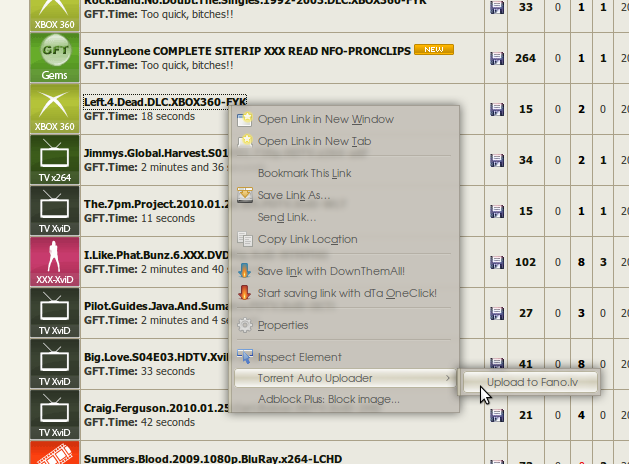
you can do semi-automatic uploading by using Firefox browser plugin. It lets you upload torrents using by right
clicking the torrent name on the tracker that is configured for Uploader and choosing option “Upload to my tracker”.
Demonstration
It is possible to arrange custom demonstration.
Manual upload plugin
Following video demonstrates remote Firefox manual upload plugin on clients machine.
[youtube]http://www.youtube.com/watch?v=D4i88QqVSiw&hd=1[/youtube]
In the next video it demonstrates dupe checking and automatic file removal functionality.
[youtube]http://www.youtube.com/watch?v=Z-iIzAUKQOo&hd=1[/youtube]
Uploader is running on gigabit seedbox with Debian Linux.
Screenshots
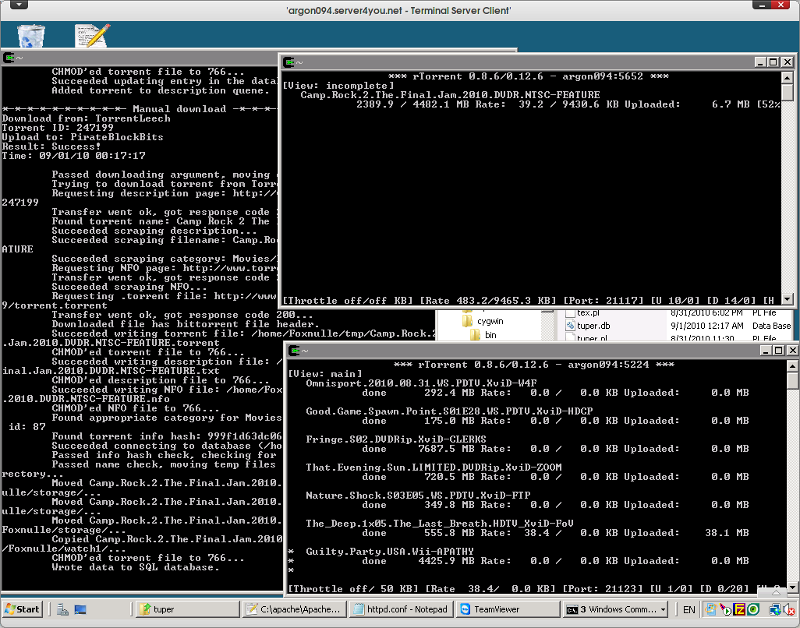
rTorrent and torrent auto uploader running on Windows with cygwin.
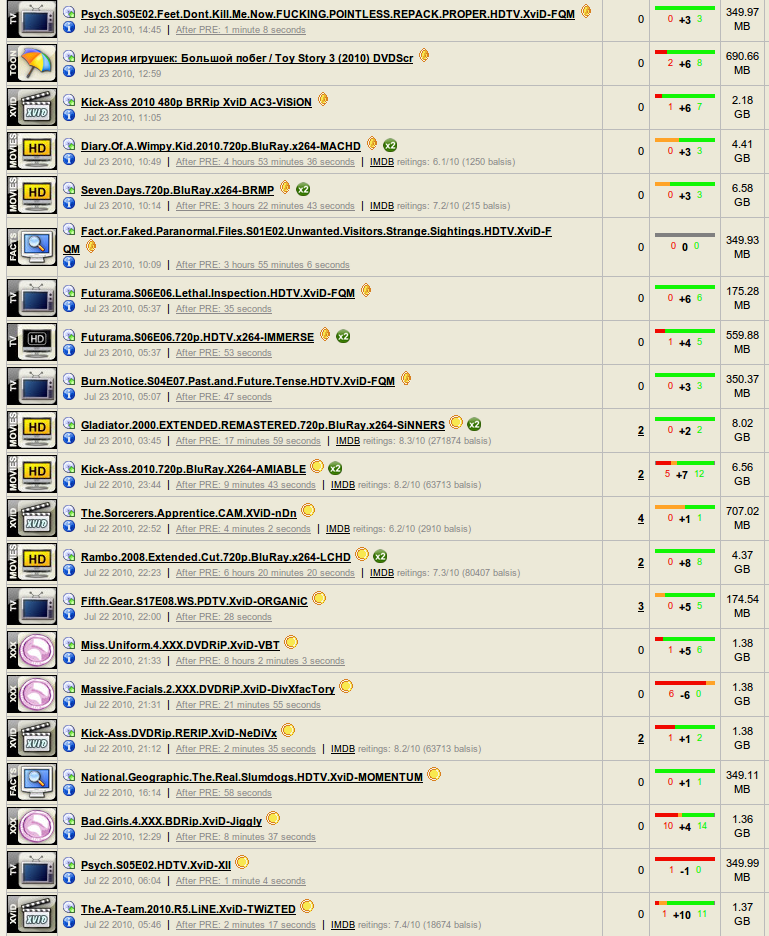
PRE times with uploader on gigabit seedbox with autpmatic and manual download.
Manual download option inside Firefox.
Version 1 used PHP. V2 was rewritten in Perl to be able to use it on Windows in Cygwin.
Download?
Where can I get it?
Since it takes lots of effort to add new features and keep it updated, I don’t give it out for free.
For more information, contact me.
Email: [email protected]
Google talk/Jabber: [email protected]
Skype: janhouse
MSN: [email protected]
So, you can get it directly from me, or if you are also looking for seedbox, you can get seedbox or dedicated server with my uploader from “Dentoo Seedbox” hosting – http://www.dentoo.info/shop/
Comments are closed.